ChatWink:Live Dance Video Chat
- 1.4
- Rating
- 10.00K
- Installs
- Free
- Price

 Analysis by App-foxy
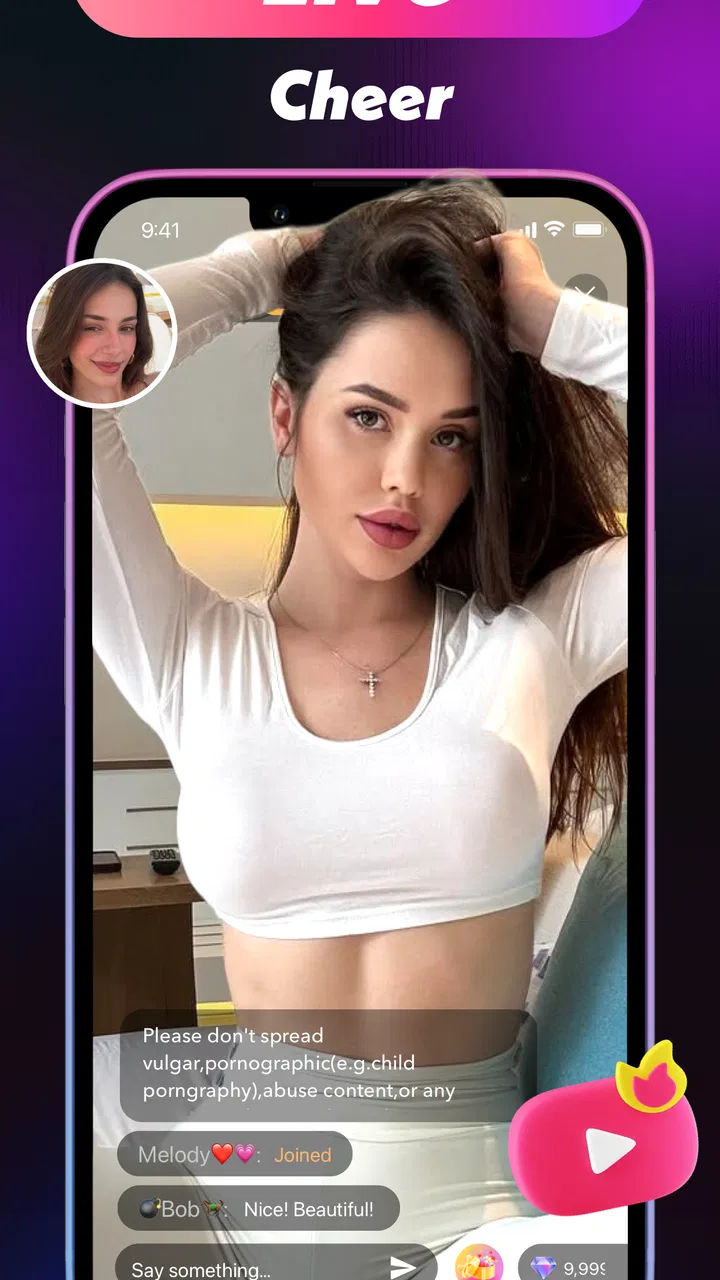
ChatWink: Live Dance Video Chat is a free lifestyle app from Lemarino built around the idea of dancing, singing, and going live. I approached it as someone looking for a casual way to perform or join a social live-video experience, rather than as a serious music or dance training tool. That distinction matters: its appeal is the feeling of being seen and interacting in the moment, not structured lessons, polished editing, or professional broadcasting.
My first impression is mixed. The concept is easy to understand, and the combination of live video, singing, and dance gives it a more playful identity than an ordinary messaging app. At the same time, the very low average rating of 1.4 from around 34 ratings suggests that many users have run into problems or found the experience disappointing. I would not ignore that signal. With only around three written reviews, the comments do not provide a complete picture, but the rating is still a reason to approach the app patiently rather than expecting a smooth, mature platform.
Where the experience can become difficult
The most obvious friction is that a live-video app depends on several things working together. The phone needs to handle video, audio, connectivity, and the app itself at the same time. If any one of those parts struggles, the result can look like an app failure even when the underlying issue is the device or network.
You May Also Like

 AccuWeather: Weather Radar
AccuWeather Review: A Quick, Clear Forecast for Everyday Decisions
For everyday plans, the best forecast is the one you can understand quickly. AccuWeather makes rain timing, radar, and local conditions easy to act on, with a few trade-offs.

 Hill Climb Racing
Why Hill Climb Racing Still Turns Crashes Into One More Run
A tiny car, a bumpy hill and one more upgrade: Hill Climb Racing keeps resurfacing because its simple chaos makes every near-miss feel personal.

 AliExpress - Shopping App
AliExpress Makes Global Shopping Feel Personal, but Shoppers Bear the Risk
AliExpress turns a global marketplace into a pocket-sized discovery engine. Its reach is useful, its shopping loop compelling, and its trade-offs easy to miss.

 Lords Mobile: Kingdom Wars
Lords Mobile Is a Kingdom-Building Routine, Not a Quick Match
A case-by-case verdict on the building, battles, device demands, and social commitments that make Lords Mobile rewarding for some players and exhausting for others.

 PDF Scanner app - TapScanner
TapScanner Makes Paperwork Easier to Capture, Check, and Share
TapScanner makes scanning with a phone feel less like a rescue operation and more like a dependable step in getting work done. Its capture tools are useful, though not flawless.

 Block Blast!
 Shows How Much a Puzzle Game Can Leave Out
A quiet grid game shows why puzzle players increasingly value instant clarity, repeatable skill and low-pressure play—and where the genre still needs to catch up.
More From Our News Desk
View All News


For example, a user may open ChatWink expecting to start singing immediately, then discover that the camera view is slow, the microphone does not respond, or the live screen takes too long to load. In a normal text chat, a short delay is annoying. In a live performance app, delay changes the whole experience because timing and confidence are part of the activity.
I also think the app’s broad promise creates a practical question: what should a new user do first? “Dance, sing, and go live” covers several different moods, but it does not tell me whether I should begin by watching, chatting, performing, or testing the camera. My advice is to treat the first session as a setup rehearsal. Do not begin with a planned performance or invite friends until you know how the live controls behave on your phone.
The smartest first move is a low-pressure test, not a public performance. Check whether the camera preview appears, whether your voice is captured, and whether the interface remains responsive while you move around. This simple pause can prevent the most frustrating mistake: assuming the audience is seeing or hearing something that is only visible on your own screen.
Why live video exposes small problems
Dance and singing also make lighting and positioning more important than they would be in an ordinary video call. A phone placed too close may show only part of your movement. A dim room can make the picture unpleasant even if the camera technically works. A noisy space can make singing difficult to follow. These are not necessarily faults in ChatWink, but they directly affect how useful the app feels.
I would place the phone at a stable height before opening a live session, leave enough room to move, and keep the main light in front of me rather than behind me. For singing, I would avoid starting beside a television, fan, or busy street. These small choices are especially valuable here because the app’s core attraction depends on immediate visual and audio interaction rather than on content that can be edited later.
What the rating tells me as a potential user
The rating deserves a careful reading. It does not prove that every person will have a bad session, and a small pool of ratings can be heavily influenced by individual experiences. Still, an average of 1.4 is too low for me to describe the app as dependable. I would install it only if the live dance and singing idea specifically interests me, not simply because I want a general-purpose video chat service.
The app has passed the threshold of over ten thousand installs, so it is not an entirely unknown experiment. Even so, that reach should not be confused with polish. Lemarino’s current version is 1.0.5, which makes me think users should keep expectations realistic and be prepared for rough edges. I would update before testing, because an older build can create avoidable problems when an app relies on live connections.
Setup checks that save time
ChatWink is free to install, which lowers the barrier to trying it. It is marked for Teen users, so I would still treat the social and live-video nature of the app seriously. A teenager should understand that going live means being visible in a real-time setting and should avoid sharing personal details, school information, or a precise location. Parents may also want to discuss who is allowed to interact with the account before the first session.
The minimum operating-system requirement is Android 7.0. That makes the app accessible to many older devices, but compatibility on paper does not guarantee a comfortable live-video experience. An older phone may technically install the application while struggling with camera processing, heat, battery drain, or rapid switching between screens. If the device already has trouble with ordinary video calls, I would not expect ChatWink to perform better.
Before opening a live session, I would run through a short preparation routine:
- Close video-heavy apps that are still running in the background.
- Make sure the phone has enough free storage for normal app operation and temporary files.
- Use a stable Wi-Fi connection when possible, especially for a first test.
- Clean the camera lens and place the phone where it will not be knocked over.
- Check the microphone opening is not covered by a case or hand.
- Keep the phone connected to power if a longer session is planned.
These checks are not glamorous, but they are more useful than repeatedly tapping the same live button. If the picture freezes, the sound cuts out, or the application closes, I want to know whether the problem follows the app or the environment. A controlled first test gives me that answer more quickly.
Handling purchases with care
Although the app is free, in-app purchases range from $0.99 to $99.99 per item. That is a wide span, and it changes how I would recommend using the service. I would not buy anything during the first session. First I would learn what the free experience includes, whether the live functions are stable, and whether I actually enjoy the social format.
I would also review the purchase confirmation carefully before approving anything. In a live environment, it is easy to tap quickly while moving between screens, especially if the interface is unfamiliar. Anyone sharing a device with a child or teenager should use the platform’s purchase controls and discuss spending beforehand. The free download is a reason to test the app, not a reason to assume every part of the experience remains free.
A useful personal rule is to avoid spending until I can explain exactly what an item changes for me. If I cannot describe the benefit in plain language, I would leave it alone. This is particularly important in a new app with a low average rating, because paying does not solve connection issues, camera problems, or an audience that is simply not active when I log in.
Recovering when a session goes wrong
When a live session fails, I would not immediately uninstall the app. I would first identify the symptom. A black camera preview points me toward the camera path. Missing voice points me toward the microphone or mute state. A frozen connection points me toward the network or the app’s live service. A complete closure points me toward the phone’s available resources or software compatibility.
For a camera issue, I would close ChatWink completely, reopen it, and check that no other application is using the camera. If the preview remains blank, restarting the phone is a sensible next step. I would also confirm that the lens is not blocked and that the phone’s system-level camera works in another trusted app. If the camera fails everywhere, the problem is not specific to ChatWink.
For missing audio, I would check the phone’s volume, any mute control visible in the live interface, and whether another connected accessory is taking over the microphone. Bluetooth headphones can be convenient, but they also introduce another possible point of failure. I would disconnect them for the first test and use the phone’s built-in microphone in a quiet room.
For delays or disconnections, I would move closer to the router, pause other downloads, and try again later rather than repeatedly starting and stopping a performance. A live app cannot turn an unstable connection into a stable one. If other video services are also buffering at the same time, I would troubleshoot the network before blaming this particular application.
A recovery workflow for performers
If I were preparing a short dance or singing session, I would use a three-stage workflow. First, I would test privately or with the smallest available audience. Second, I would perform a brief piece instead of committing to a long session. Third, I would only continue after confirming that the image and sound remain usable while I move.
This approach has a non-obvious advantage: it separates performance confidence from technical confidence. If I begin with a long routine and the connection fails halfway through, I may wrongly conclude that the app is useless. A short trial tells me whether the problem is repeatable and gives me a chance to change the room, network, or phone position.
I would also keep a simple fallback plan. If live video becomes unreliable, I would stop rather than waste time fighting the interface. ChatWink is not the right place to store the only copy of a song idea or dance routine. I would record important practice material separately with the phone’s normal camera, then use the live app only for the real-time social part. That protects the work while preserving the app’s main purpose.
When the app is not the cause
It is easy to blame the application when the actual problem is the phone. Older hardware may overheat during camera use, reduce performance when the battery is low, or close apps when memory is tight. If ChatWink works briefly and then becomes sluggish as the phone warms up, I would let the device cool, remove a thick case temporarily, and test again without other demanding apps open.
The room can also be the hidden cause. Echo makes singing sound distant, while background conversations compete with the microphone. A bright window behind the performer can turn the face into a silhouette. A shaky surface can make the video unpleasant even when the connection is perfect. These details matter more here than in a standard social feed because the viewer receives the moment as it happens.
Network congestion is another important distinction. A strong signal icon does not always mean a stable connection. If the app behaves better at a different time or in another location, that points toward the network rather than the installation. I would compare one short test on Wi-Fi with one on mobile data only if my plan allows it, and I would avoid drawing conclusions from a single failed attempt.
There is also a social limitation that technology cannot fix. A live platform may feel empty if the people I want to meet are not using it at the same time. That is not necessarily a crash or a broken feature; it is a mismatch between the app’s audience and my expectations. Someone seeking a large, established community may be happier with a mainstream video platform, while someone who specifically wants to experiment with ChatWink’s dance-and-sing concept may accept a smaller or less predictable crowd.
How it compares with familiar alternatives
Compared with a normal messaging app, ChatWink is more performance-oriented. A messaging app is better when I want reliable one-to-one contact, written conversation, or a record of what was said. ChatWink makes more sense when the point is to be present, visible, and expressive in real time.
Compared with a large live-streaming service, it appears more focused in concept because dance and singing are central to the identity. The trade-off is that a larger service usually gives creators a more familiar audience, established discovery habits, and a broader ecosystem. I would choose ChatWink for casual experimentation, not for building a serious public channel or replacing a professional streaming setup.
Compared with a dedicated dance or vocal-learning app, it serves a completely different need. Training apps are better when I want lessons, repetition, progress tracking, or technical feedback. ChatWink is better suited to spontaneous expression and social interaction. Someone who wants to improve pitch or choreography should not mistake live conversation for instruction.
That comparison helps define the right user. I can recommend it to a curious person who enjoys performing casually and is willing to tolerate some trial and error. I would skip it if my priority were dependable calls, private communication, advanced recording tools, or a structured learning path.
My practical verdict after weighing the trade-offs
ChatWink: Live Dance Video Chat has a clear personality, and I like that it tries to combine movement, singing, and live social contact instead of presenting itself as another ordinary chat tool. The free entry point makes a cautious test reasonable, while the Teen rating is a reminder to use sensible privacy boundaries. Its current version, 1.0.5, and the low average rating make me view it as an app to explore carefully rather than one I would install without reservations.
My strongest recommendation is to start with preparation: update the app, test the camera and microphone, use a stable connection, and keep the first live session short. If something fails, isolate the symptom before spending money or concluding that the entire service is unusable. The most useful insight I take from the experience is that success depends on the complete setup—phone, room, network, and expectations—not just on the download itself.
I would choose it for a casual evening when I want to sing or dance in front of people and do not need professional production. I would not choose it for an important performance, a private conversation, serious training, or a dependable replacement for established video-chat services. The purchase range also means I would stay with the free experience until I had a clear reason to pay.
In short, Lemarino’s lifestyle app is worth a careful trial for the right kind of user, but the rating means I would keep expectations modest. Try it as a low-stakes live experiment, protect your privacy, and judge it after a controlled test rather than after one rushed session. If the camera, audio, and connection hold up in your everyday environment, the playful format may be enough to make it enjoyable. If you need reliability above all else, a more established alternative is the safer choice.
FAQs for ChatWink:Live Dance Video Chat
01What is ChatWink: Live Dance Video Chat?
ChatWink: Live Dance Video Chat is a social entertainment app focused on meeting people through live video interactions, dance content, and casual conversations. After exploring the app, its main appeal is the combination of real-time video chat and performance-style social features. Users can browse live sessions, interact with hosts or other participants, and discover new profiles in a more dynamic format than a standard messaging app. Availability and features may vary by region and account type.
02Do I need to create an account to use ChatWink?
An account is generally required to access the app’s main social and video-chat functions. During registration, ChatWink may request basic details such as a nickname, profile information, and possibly access to your device camera and microphone. Creating a profile helps other users identify you and allows the app to save preferences or activity. Before signing up, review the permissions carefully and avoid sharing sensitive personal information publicly.
03Is ChatWink: Live Dance Video Chat free to download and use?
ChatWink can typically be downloaded without an upfront charge, but free access may not include every feature. Live interactions, virtual gifts, premium rooms, or other social tools may involve in-app purchases, credits, or subscription-style benefits. I recommend checking the current pricing shown in the Android or iOS store and inside the app before spending money. Also review recurring-payment terms, since prices and available options can change.
04Is ChatWink safe for chatting with strangers?
ChatWink is designed for meeting and interacting with people online, so users should apply the same caution used on any live video-chat platform. Do not share your home address, financial details, passwords, private documents, or exact daily routine. Use blocking and reporting tools when available, and leave conversations that become uncomfortable or inappropriate. Parents should also be aware that live social apps may not be suitable for younger users without supervision.
05What permissions does ChatWink require, and can I control them?
Because ChatWink includes live video and audio communication, it may request access to your camera, microphone, notifications, and possibly photos or storage depending on the features you use. These permissions are not automatically necessary for every part of the app. You can manage them through your Android or iOS privacy settings, and it is sensible to grant access only when required. Denying camera or microphone access may limit live-chat functionality.
Pros
- Quick access to live dance and video chat rooms
- Interactive format makes conversations feel more engaging
- Easy way to discover creators with different dance styles
- Supports social connections beyond text-based messaging
- Fresh content can make short sessions entertaining
Cons
- Live content quality may vary considerably between hosts
- Some features may require in-app purchases or virtual gifts
- Public chats can expose users to unwanted interactions
- Video calling may consume significant mobile data
- Availability of hosts can depend on your time zone

ChatWink:Live Dance Video Chat
Gallery